
GitHub Actions failure alerts on your iPhone
GitHub can already tell you about workflow runs. Turn on notifications for Actions in the GitHub Mobile app, and you get a push for runs you started. If that’s all you need, you’re done.
Honk is for when you need more: failures from many repositories, including runs other people started, folded into one group per workflow and branch, in the same inbox as your servers and cron jobs, with a recovery when the branch is green again. The quickest way is to connect GitHub’s webhook to Honk: one URL, and no change to your workflows. If you’d rather decide in the workflow itself, the second half of this guide adds one step at the end of a job.
Before you start
- A Honk account. Honk is invite-only for now: request access.
- A project for CI, in a workspace where you’re an owner or admin.
- Admin access to the repository, or to the organization, on GitHub.
1. Connect GitHub in Honk
In the Honk web app, open the project, go to Connections and click Connect a service. Choose GitHub and click Connect. Honk shows the connection’s Webhook URL, which starts with https://honk-honk.app/v1/hooks/github/.
Under Signing secret, click Generate, copy the secret, then click Save secret. GitHub signs every delivery with it, and Honk turns away the ones that don’t match. Honk won’t show the secret again once it’s saved.
2. Add the webhook in GitHub
In the repository, open Settings ▸ Webhooks and click Add webhook. To cover every repository at once, use the organization’s Settings ▸ Webhooks instead. Then fill in:
- Payload URL: the URL from Honk.
- Content type:
application/json. Honk can’t read GitHub’s default form encoding. - Secret: the secret you generated.
- Which events would you like to trigger this webhook?: choose Let me select individual events and tick Workflow runs, plus Deployment statuses, Releases and Issues if you want those too.
Click Add webhook. GitHub sends a ping right away, and the connection in Honk shows it as its last delivery.
3. Check the deliveries
The webhook’s Recent Deliveries tab in GitHub lists every delivery with Honk’s answer: 202 when Honk accepted it, including event types it ignores, and 401 when the signature doesn’t match. In Honk, the connection shows the time of the last delivery, or the last error.
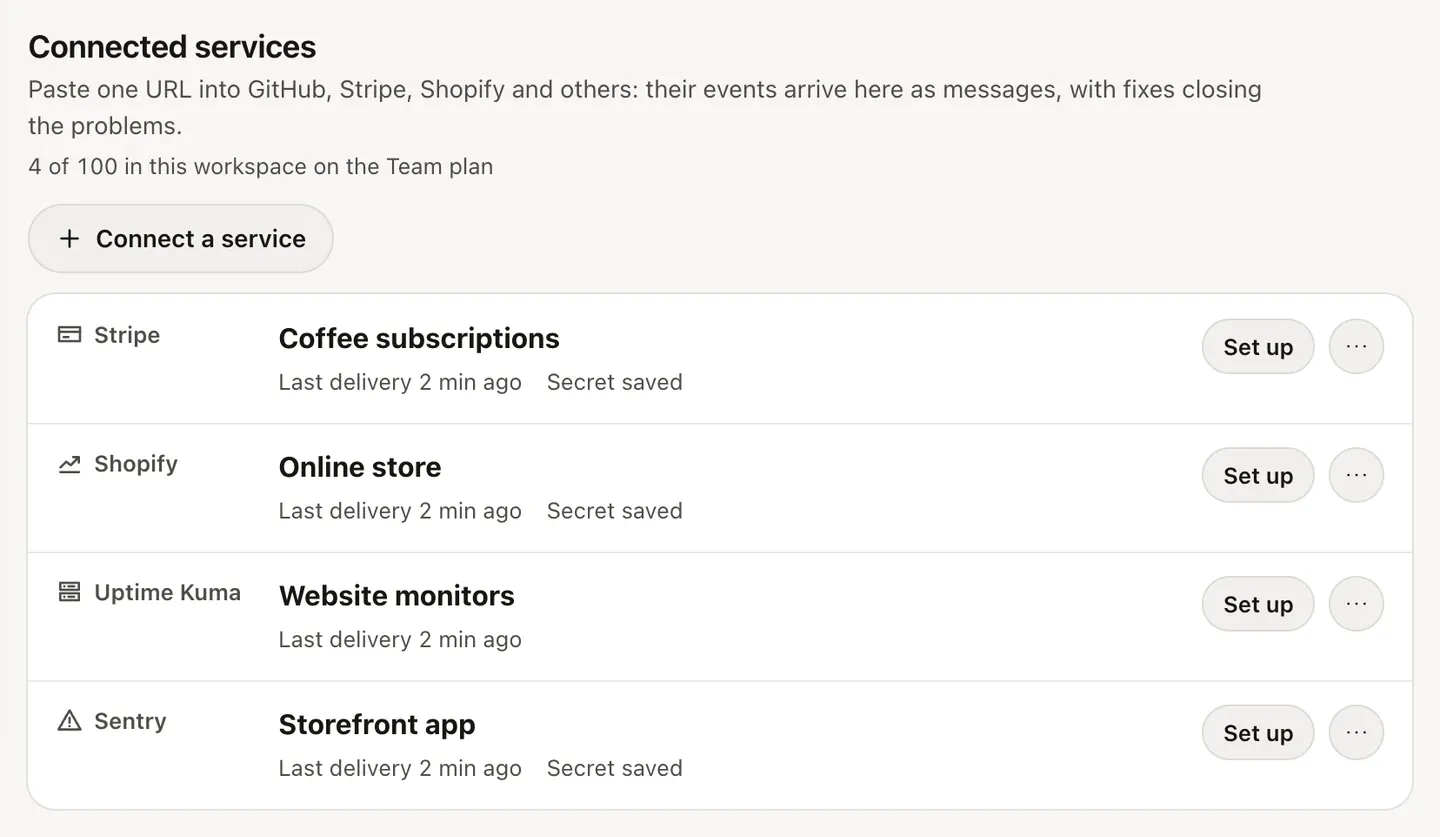
The next run that fails on any branch pushes. Nothing else is needed: no secrets in the repository, no step to add, and every workflow is covered, including new ones.
What each event becomes
- A failed run (
workflow_run), including one that failed to start or timed out: a problem, a Long honk titled “CI failed on main · acme/api”, with the run number, who started it, the commit message and a link to the run. One group per repository, workflow and branch. - The next successful run on that branch: a recovery, “CI passed on main · acme/api”, which closes the problem. A success with no failure before it is dropped, so a healthy branch never pings you. Cancelled and skipped runs are ignored.
- A failed deployment (
deployment_status): a problem, a Long honk, one group per repository and environment. The next successful deployment closes it, and a successful one with no failure before it is a Beep-beep, “Deployed to production · acme/api”. - A published release (
release): a Light honk, with the release notes. - A newly opened issue (
issues): a Light honk, one group per issue.
Under Events that become messages on the connection, untick any of these you don’t want and click Save. Each connection counts toward your workspace’s plan: Free includes 2, Pro 20 and Team 100. Messages count toward the plan’s daily limits like any others; pricing lists them.
Or: one step in the workflow
Without the connection, a step at the end of a job can report the failure itself. You choose per job what to send, and it works where you can’t add a webhook. Use one way or the other for the same workflows: with both, you’d hear about each failure twice.
This way needs an ingestion key: in the web app, open the project, then Keys, and create one.
Store the URL and the key as secrets
Repository secrets work for a single repository; organization secrets save you from repeating this everywhere. With the GitHub CLI:
# with the GitHub CLI, for one repository (or use --org for all of them)
gh secret set HONK_URL --body "https://honk-honk.app"
gh secret set HONK_KEY        # paste the ingestion key when asked
Add a step that runs only on failure
Put this step last in the job you care about. if: failure() runs it only when an earlier step failed. It uses jq and curl, which every GitHub-hosted runner already has, so there is nothing to install:
      - name: Tell Honk
        if: failure()
        env:
          HONK_URL: ${{ secrets.HONK_URL }}
          HONK_KEY: ${{ secrets.HONK_KEY }}
          WORKFLOW: ${{ github.workflow }}
          REPO: ${{ github.repository }}
          BRANCH: ${{ github.ref_name }}
          RUN_URL: ${{ github.server_url }}/${{ github.repository }}/actions/runs/${{ github.run_id }}
          ATTEMPT: ${{ github.run_id }}-${{ github.run_attempt }}
        run: |
          jq -n --arg title "CI failed: $WORKFLOW on $BRANCH" --arg url "$RUN_URL" --arg key "ci/$REPO/$BRANCH" \
            '{title: $title, message: $url, url: $url, severity: "long", event_type: "problem",
              group_key: $key, source: "github-actions", category: "deployments"}' |
          curl -sS --max-time 10 --retry 3 --retry-all-errors "$HONK_URL/v1/messages" \
            -H "Authorization: Bearer $HONK_KEY" -H "Content-Type: application/json" \
            -H "Idempotency-Key: gh-$ATTEMPT" --data-binary @- || true
A few choices in there matter:
- The group key is the repository and the branch,
ci/acme/api/main. The first failure onmainpushes; more failures onmainfold into the same group and become calm updates. A failure on another branch gets its own group. - The idempotency key is the run ID plus the attempt number. If curl retries after a lost response, Honk returns the original event instead of a second one, but when you press Re-run, the new attempt is a new event.
jqbuilds the JSON, so a workflow or branch name with quotes in it can’t break the request.|| truemeans a Honk outage can never turn a failed build into a different failure.
Optional: a recovery when it’s green again
To close the incident when the branch passes again, add a second step that runs on success, asks GitHub whether the previous run on this branch failed, and only then reports a recovery:
      # needs `permissions: actions: read` when the workflow restricts the token
      - name: Tell Honk it works again
        if: success()
        env:
          GH_TOKEN: ${{ github.token }}
          HONK_URL: ${{ secrets.HONK_URL }}
          HONK_KEY: ${{ secrets.HONK_KEY }}
          WORKFLOW: ${{ github.workflow }}
          REPO: ${{ github.repository }}
          BRANCH: ${{ github.ref_name }}
          ATTEMPT: ${{ github.run_id }}-${{ github.run_attempt }}
        run: |
          previous=$(gh run list --repo "$REPO" --workflow "$WORKFLOW" --branch "$BRANCH" \
            --limit 2 --json conclusion --jq '.[1].conclusion')
          [ "$previous" = "failure" ] || exit 0
          jq -n --arg title "CI green again: $WORKFLOW on $BRANCH" --arg key "ci/$REPO/$BRANCH" \
            '{title: $title, message: "The last run passed.", severity: "beep", event_type: "recovery",
              group_key: $key, source: "github-actions", category: "deployments"}' |
          curl -sS --max-time 10 --retry 3 --retry-all-errors "$HONK_URL/v1/messages" \
            -H "Authorization: Bearer $HONK_KEY" -H "Content-Type: application/json" \
            -H "Idempotency-Key: gh-$ATTEMPT-ok" --data-binary @- || true
Without this step nothing breaks: an episode with no new events becomes inactive after 24 hours, and the next failure opens a new one and pushes again.
The same with the honk CLI
If you prefer the honk CLI, which handles retries with one idempotency key and a total deadline for you, install it in steps that run only on failure and call uhoh. Go is preinstalled on GitHub-hosted Linux runners:
      - name: Install the honk CLI
        if: failure()
        run: |
          go install github.com/honk-hq/go/cmd/honk@latest
          echo "$(go env GOPATH)/bin" >> "$GITHUB_PATH"

      - name: Notify
        if: failure()
        env:
          HONK_URL: ${{ secrets.HONK_URL }}
          HONK_KEY: ${{ secrets.HONK_KEY }}
        run: |
          honk uhoh --group-key "ci/${{ github.repository }}/${{ github.ref_name }}" \
            --title "CI failed: ${{ github.workflow }}" --message "${{ github.server_url }}/${{ github.repository }}/actions/runs/${{ github.run_id }}" \
            --source github-actions --category deployments \
            --idempotency-key "gh-${{ github.run_id }}-${{ github.run_attempt }}" || true
What you get
The first failure on main arrives as a Long honk on Honk for iPhone, with a link to the run one tap away in the inbox. Repeats on the same branch update one group instead of buzzing again, and quiet hours hold CI failures overnight unless they’re urgent. The deploy guide also covers telling Honk about successful deploys, and the Sentry guide adds the errors your app throws once it’s live.
Honk is invite-only for now: request access. Everything in this guide works on the Free plan.